A920Pro
Android
SmartPOS
Compact, wireless, and built for mobility — accept EMV, contactless, and magstripe payments on the go.
Buy now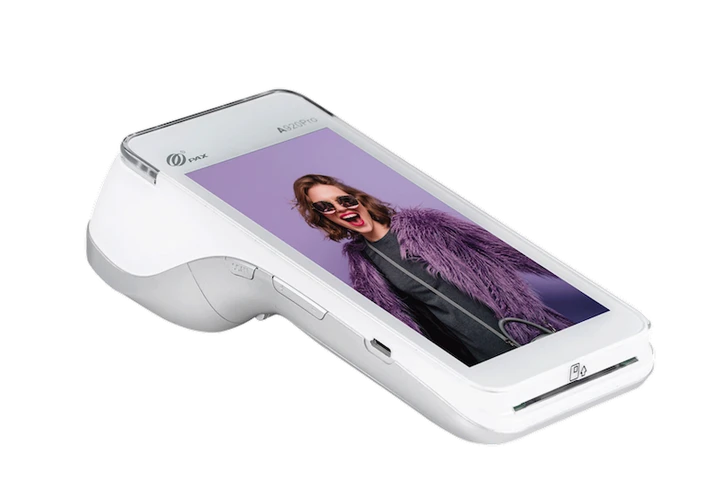
Compact, wireless, and built for mobility — accept EMV, contactless, and magstripe payments on the go.
Buy now
Explore the powerful features of the A35 Android PINpad — designed for fast transactions, enhanced security, and effortless customer experiences.
Ideal for tableside payments and order management.
Perfect for secure, fast checkout at the counter.
Portable and reliable for on-the-go payments and events.
Discover the core hardware and software capabilities that power the performance of the A35 Android PINpad. Built for reliability, speed, and security.

Android 10

4.0" Capacitive Touchscreen

Secure ARM Cortex-A53

1GB RAM / 8GB ROM

EMV L1/L2, NFC, Magstripe

USB-C, Wi-Fi, Bluetooth
See how the A35 Android PINpad delivers smooth, secure, and efficient payment experiences—right at your fingertips.

Unlock faster payments, enhanced customer satisfaction, and seamless integration with a device built for modern retail and service environments.

A920Pro combines sleek design with advanced functionality, supporting all major payment methods including chip, magstripe, contactless, and QR code payments—all in one portable device.
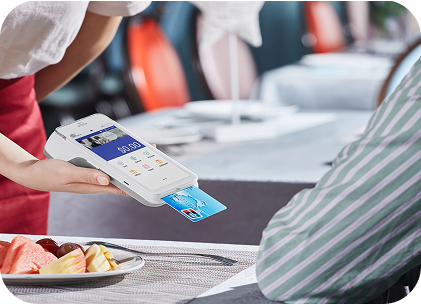
Designed for all-day use, the A920Pro’s high-capacity battery ensures reliable performance through even the busiest shifts, reducing the need for frequent charging.

Powered by a quad-core processor and Android OS, the A920Pro delivers fast performance, smooth app operation, and responsive transactions—ideal for high-traffic environments.
Access user guides, setup instructions, and technical documentation to get the most out of your A35 Android PINpad.
Published Sep 12, 2025
Our Setup and Installation Manual provides a step-by-step guide to
get your POS system up and running quickly.
From hardware connections to software configuration, it ensures a
smooth and hassle-free start.